
This is a detailed guide on how to figure out which Minecraft version you have. Knowing which version you have is necessary for Fabric, Quilt or NeoForge mod loaders installation, as well as Sodium. Failing to install the correct versions of a mod loader and / or Sodium will result in errors and inability to play the game.
How to Find Out (Latest) Minecraft Version You Have
- Open Minecraft Laucher.
- Click on Installations at the top left corner:

- See the number under Latest release:
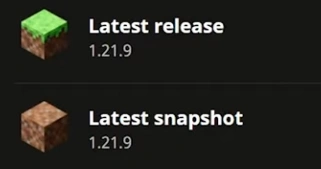
- That’s the Minecraft version you have installed. Make sure you select exactly this version when installing Fabric, Quilt, or NeoForge for Sodium.